
Lost user name
If you have previously registered on sacza.org website and cannot remember the email address you had used, please contact SZA to retrieve or update your information
Lost Password
If you can’t recall your password, do not panic. take a deep breath and follow along.
First, click on login on the top menu. click on lost password link. On the next page, enter your email address and click on get new password button.
You will receive an email from SZA Web Admin. check your spam folder if it is taking too long. The email should look like this:
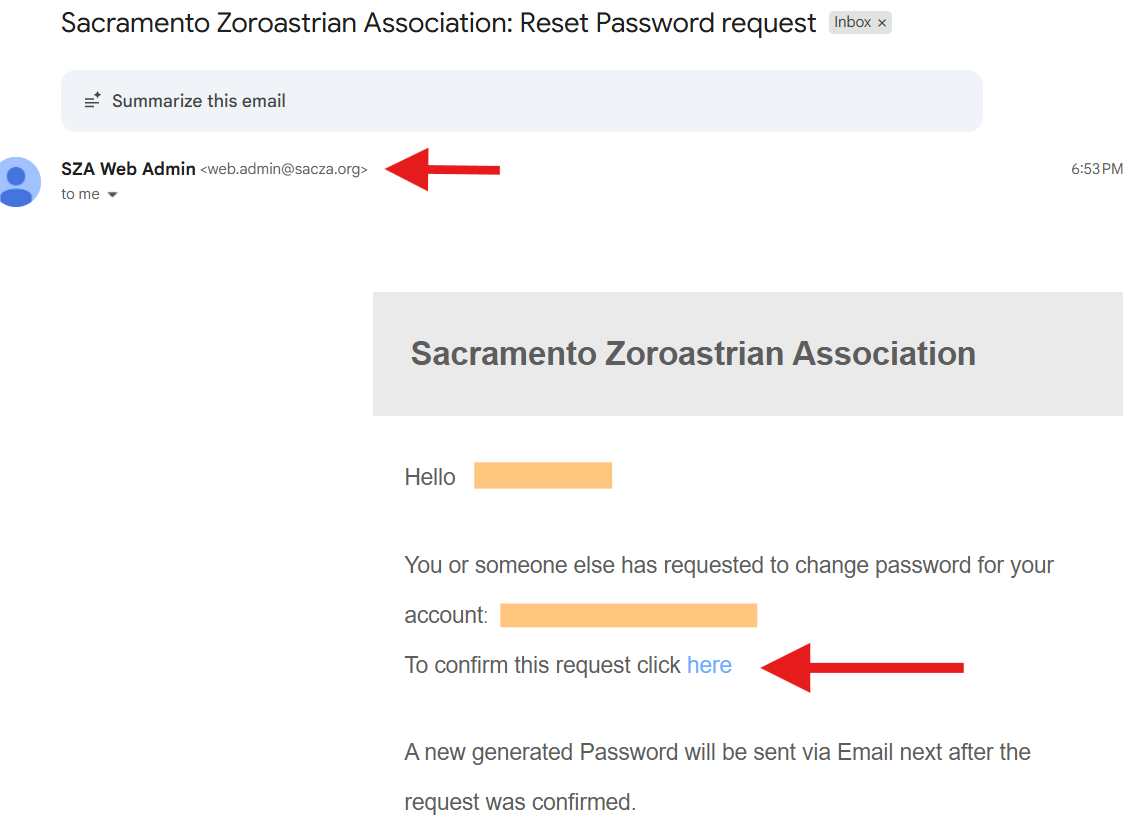
click on the confirmation link so we know your email is correct and someone else is not trying to get in your account. Once you do that, you’ll receive an auto generated password via a similar email as shown below
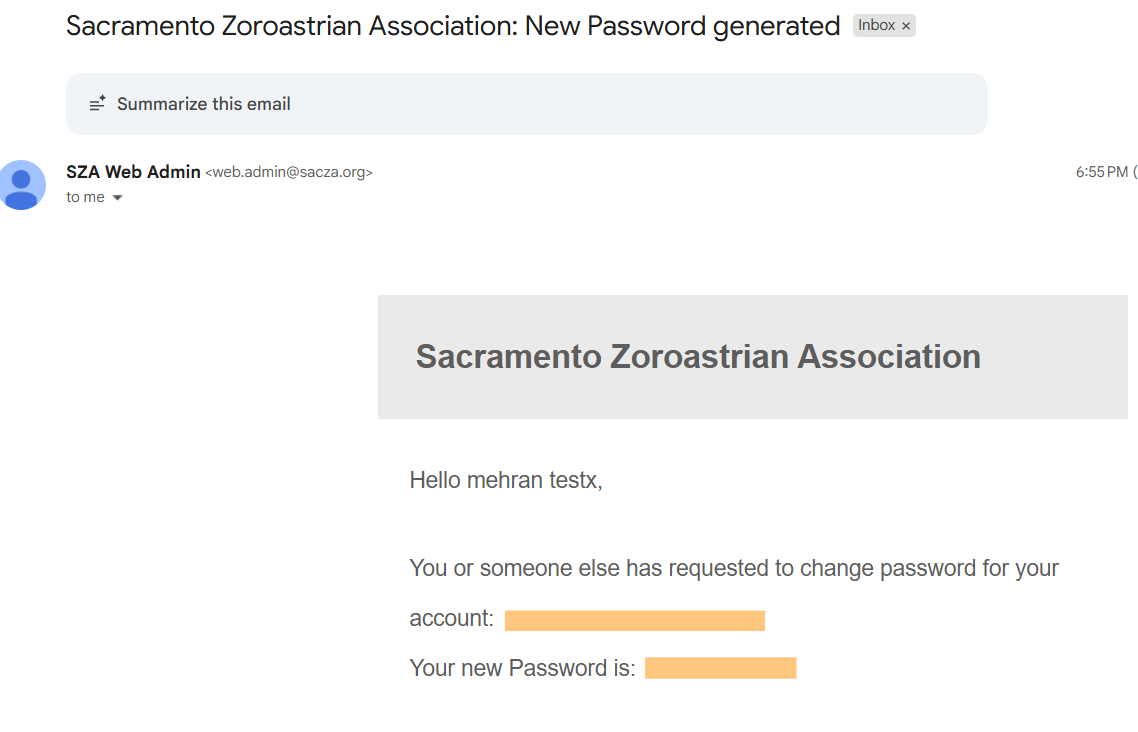
You’re almost done. Head over to the login page and enter your new credentials.
Congratulations! You got in.
Renew Membership
If you were an active member last year and want to renew your membership for this year, here is how you do it.
when you login to your SZA website, the very first page will be your account page. In case you mistakenly navigate to some other pages, you can always go back by selecting My Account from the top menu. It will look like this:
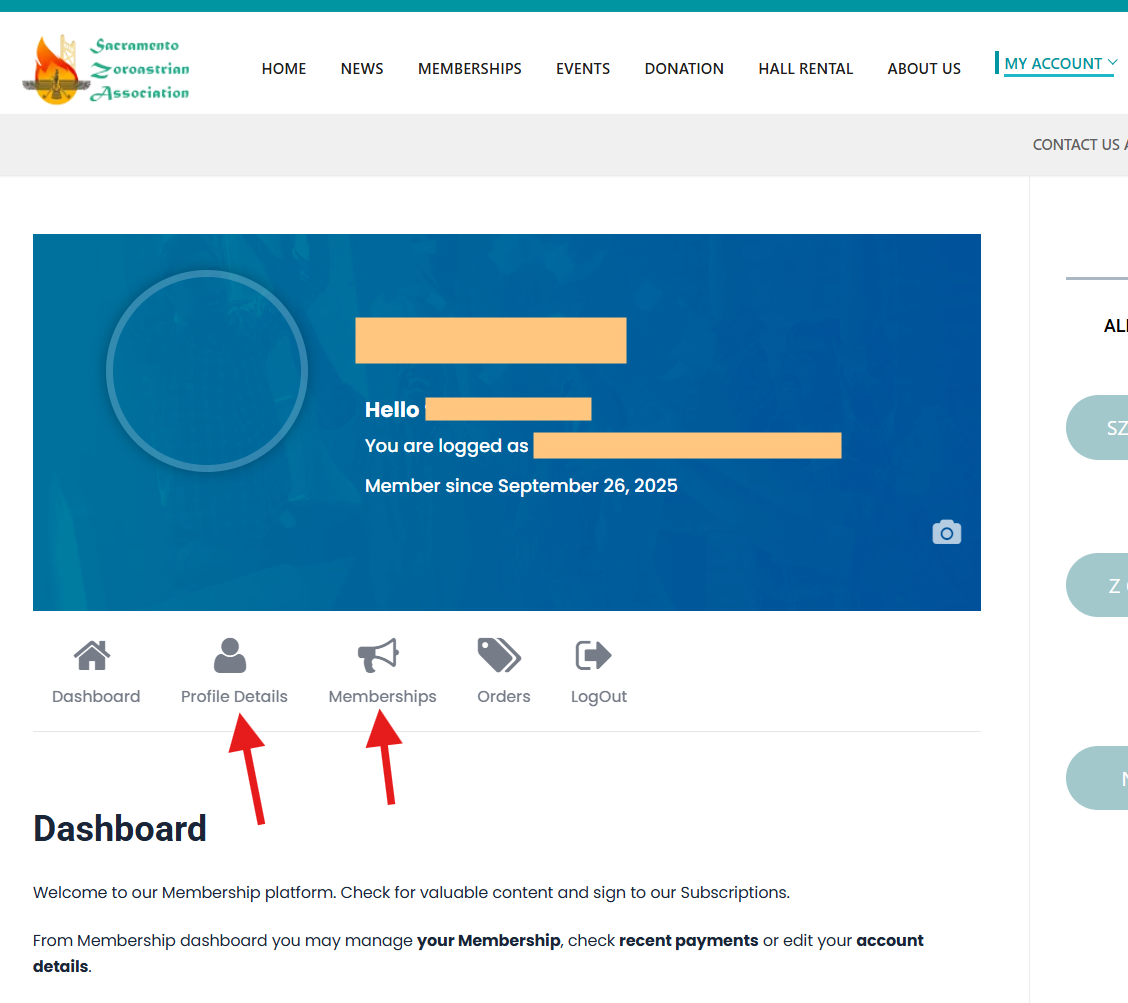
First, click on Profile Details and make sure your information is up to date.
Then click on Membership button, selct your membership type and simply pay your membership due.
Thank you for being a valued member and supporter of the SZA .